Table of Contents
Best Web Hosting for Beginners in 2026: A Practical, Honest Guide
Last updated: August 2026
Choosing the best web hosting for beginners is one of the first important decisions you make when starting a website. Hosting affects website speed, security, uptime, WordPress management, backups, and how easily you can grow your site later. A cheap plan can be useful, but the lowest advertised price is not always the best long-term value.
In this guide, we compare the main things beginners should look for in web hosting and explain how shared hosting, WordPress hosting, VPS hosting, and cloud hosting differ. We also look at popular providers such as Bluehost, Hostinger, and Namecheap, while explaining why renewal pricing, backups, SSL, support, and performance matter more than a promotional headline.
What Is Web Hosting?
Web hosting is the service that stores your website files, database, images, and other resources on a server connected to the internet. When someone types your domain name into a browser, the hosting server delivers the website to that visitor.
A domain name is your website address, while hosting is the infrastructure that makes the website available. You normally need both. For a WordPress blog, the hosting account also needs to support PHP, a database, HTTPS, and the resources required by WordPress and its plugins.
What Should Beginners Look For in Web Hosting?
The best web hosting for beginners should be simple enough to manage without advanced server knowledge, but it should also provide a reasonable path for growth.
1. Easy WordPress installation
If you plan to use WordPress, look for one-click or managed WordPress setup. A good hosting dashboard should make it easy to connect your domain, install SSL, create email accounts where included, and manage basic WordPress settings.
2. Free SSL
HTTPS is essential for modern websites. Free SSL certificates are now common, so beginners should be cautious about paying extra for basic SSL without a specific reason.
3. Reliable backups
A backup can save your website after a plugin conflict, accidental deletion, malware incident, or failed update. Check how often backups are created and how easy it is to restore them. Do not assume that every low-cost plan offers the same backup policy.
4. Good support
Beginners often need help with DNS, WordPress installation, SSL, migration, email, or server settings. Look for a provider with clear documentation and support that matches your needs.
5. Transparent renewal pricing
Promotional pricing can make hosting look extremely cheap. Always check what the plan costs after the introductory term. The renewal price is part of the real cost of hosting.
Types of Web Hosting Explained
Shared Hosting
Shared hosting places multiple websites on the same server environment. It is usually the easiest and most affordable starting point for a personal blog, portfolio, small business site, or new affiliate website.
The main limitation is resources. A growing website with heavy traffic, large databases, or demanding applications may eventually need more powerful hosting.
Managed WordPress Hosting
Managed WordPress hosting is designed specifically for WordPress. The provider may handle updates, caching, security, backups, staging, or other maintenance tasks depending on the plan. This can be a good choice for beginners who want to spend more time publishing and less time managing servers.
VPS Hosting
A virtual private server gives you more resources and control than basic shared hosting. It can be useful for growing websites, developers, and businesses that need more predictable resources. However, VPS hosting can require more technical knowledge.
Cloud Hosting
Cloud hosting uses a distributed infrastructure and can provide a useful upgrade path for websites that outgrow basic shared hosting. The exact architecture and benefits vary by provider, so compare resources and pricing rather than relying only on the word “cloud.”
Bluehost: A Strong WordPress-Focused Option
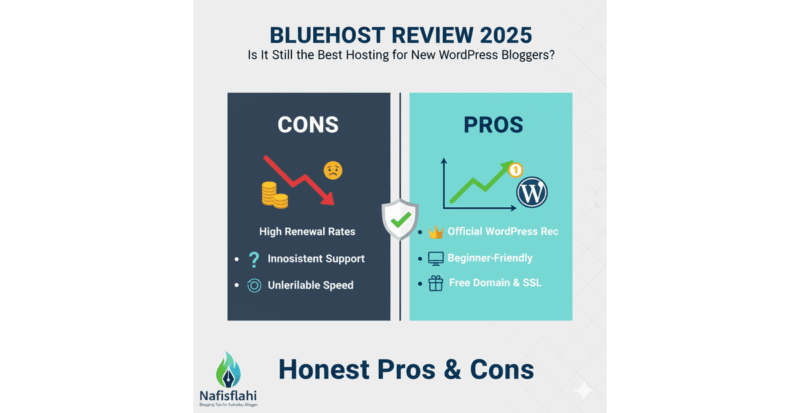
Bluehost is a well-known option for beginners, particularly people building WordPress websites. Its current India web hosting plans include features such as NVMe storage, free SSL, a free domain for the first year on eligible plans, free site migration tools, CDN, managed WordPress updates, backups, and 24/7 chat support, with features varying by plan.
For example, Bluehost currently lists a Starter plan at ₹199 per month for a 36-month term and shows a ₹349 per month renewal price on its India pricing page. The Business plan is listed at ₹279 per month for the introductory term and ₹529 per month at renewal. Prices can change, so always verify the final checkout price before purchasing.
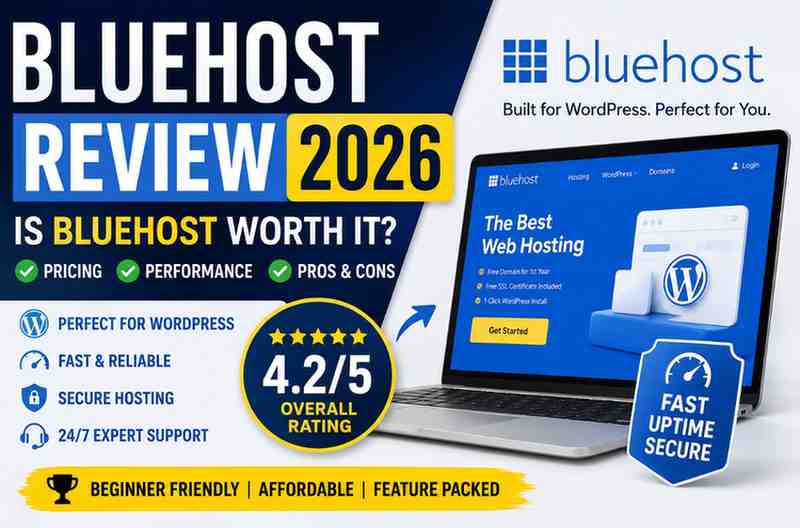
Bluehost can be a sensible choice if your priority is a beginner-friendly WordPress environment with a clear upgrade path. We have also published a separate Bluehost Review 2026 for readers who want a deeper comparison.
Hostinger: Competitive Value for Beginners
Hostinger is another popular option for beginners. Its current India plans include WordPress support, SSL, backups, CDN, AI tools, website migration, and 24/7 support, depending on the plan. Current promotional prices are low, but renewal prices are higher, so the same long-term cost rule applies.
Hostinger can be attractive for users who want a low entry price and a broad set of tools in one dashboard. Its current India hosting page shows a Single plan aimed at beginners and simple projects, alongside higher plans for multiple websites and larger projects.
Namecheap: Hosting and Domain Management
Namecheap is widely known for domain registration and also provides hosting. It can be worth considering if you prefer to manage domains and hosting through one provider. As with every provider, compare storage, backups, performance, support, renewal prices, and website limits before choosing a plan.
Why the Cheapest Hosting Price Can Be Misleading
One of the most common beginner mistakes is comparing only the promotional monthly price. Hosting companies frequently advertise a discounted rate that requires a longer initial billing term. The renewal price can be significantly higher.
Before buying, calculate the total first-term cost and the expected renewal cost. Also check whether the advertised price excludes taxes, whether the domain is free only for the first year, and whether important features such as daily backups, advanced security, staging, or phone support are limited to higher plans.
A hosting plan that costs slightly more but includes the features you actually need may be better value than a cheaper plan that requires several paid add-ons.
What Is the Best Hosting for WordPress Beginners?
For a new WordPress blog, the ideal hosting plan should offer simple WordPress installation, free SSL, backups, caching or CDN support, enough storage, and reliable support. You do not normally need a VPS or dedicated server when starting a small content website.
As traffic grows, monitor your hosting resource usage. If your site regularly reaches resource limits, becomes slow during traffic spikes, or needs more server control, it may be time to upgrade.
If you are building a WordPress site, our guide to choosing a WordPress theme can also help you avoid performance and compatibility problems caused by unsuitable themes.
Speed, Security and Backups Matter
Hosting is only one part of website performance. A fast server cannot completely fix a website overloaded with huge images, unnecessary plugins, third-party scripts, or poorly written code.
Use compressed images, a lightweight theme, caching, a CDN where appropriate, and only the plugins you actually need. Keep WordPress, themes, and plugins updated.
Security should include more than an SSL certificate. Use strong administrator passwords, limit unnecessary user accounts, enable two-factor authentication where available, and keep independent backups of important websites.
Common Web Hosting Mistakes Beginners Make
Choosing only by price
The cheapest plan is not automatically the best option. Compare the full feature set and renewal cost.
Buying more resources than necessary
Beginners sometimes purchase expensive hosting before they have traffic. Start with a suitable plan and upgrade when the website actually needs more resources.
Ignoring backups
Never assume that hosting alone is your complete backup strategy. Keep an independent backup for important websites.
Using too many plugins
WordPress plugins can add valuable functionality, but unnecessary plugins increase maintenance and can affect performance or security.
Forgetting renewal dates
Set a reminder to review hosting and domain renewal prices before the renewal date. This gives you time to compare alternatives if the cost no longer makes sense.
Our Recommendation: Which Hosting Should You Choose?
For most beginners, shared or managed WordPress hosting is the sensible starting point. Bluehost is worth considering if you want a WordPress-focused platform with beginner-friendly tools, while Hostinger is attractive if promotional pricing and a broad feature set are major priorities. Namecheap can also be considered when domain management is important.
There is no single provider that is best for every website. The right decision depends on your website type, expected traffic, technical ability, budget, support requirements, and plans for growth.
If you are starting a blog today, focus on reliable hosting, security, backups, speed, and an easy management experience. You can always upgrade later when your audience grows.
Frequently Asked Questions
What is the best web hosting for beginners in 2026?
There is no universal winner, but Bluehost, Hostinger, and Namecheap are among the providers worth comparing for beginner websites. Your final choice should depend on price, renewal cost, features, support, and the type of website you plan to build.
Is shared hosting good for a new blog?
Yes. Shared hosting is usually sufficient for a new blog, portfolio, or small business website. Upgrade when traffic and resource requirements justify it.
Should beginners choose WordPress hosting?
If you plan to use WordPress, WordPress-focused hosting can make setup and ongoing management easier. Look for SSL, backups, caching, support, and a simple dashboard.
Should I choose hosting based on the cheapest monthly price?
No. Check the initial billing term, renewal price, taxes, domain renewal, backups, support, storage, and other included features before making a decision.
Can I change hosting later?
Yes. Most WordPress websites can be migrated to another host. Make a complete backup and test the new hosting environment before changing DNS or cancelling the old hosting account.
Final Thoughts
The best web hosting for beginners is not necessarily the provider with the lowest advertised price. It is the service that gives you enough resources, dependable support, sensible security, useful backups, and a straightforward path to growth.
Take a few minutes to compare the full plan details before purchasing. Check the renewal price, read the included features carefully, and choose hosting that matches the website you are actually building today.
Disclosure: Some links in this article may be affiliate links. If you purchase through an affiliate link, NafisFlahi.com may receive a commission at no additional cost to you. This does not affect our editorial opinion.
Related Articles