Table of Contents
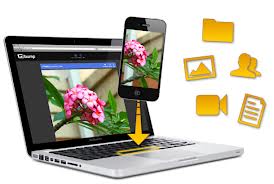
In this article you will learn How To Share File Between Your Computer and Mobile Phone
your all digital data just like file, image, document , video, audio, that are including
in your mobile phone and computer,
how do you easily transfer data from mobile to computer and computer to mobile
the following guides will help you exchange file between your desktop computer and
mobile phone easily
The popular and most useful solution for sharing files across the devise
is E-mail (electronic massage )
you can attache file in e mail box send it to other and download
attachment file on other device Ex.send any document or any thing by e mail
in which devise would you like to keep that document download that file
You may also use the alternative of e mail just like Sky drive,Google drive,
drop box etc
Google keeps is a one best service for transfer text from one devise to other devise
you can write or copy past it instantly become a on other devise
one best service for transfer data between mobile and computer
is Bum and Hoccer you can exchange file between the android device
and IOS device or between you computer and mobile device