Table of Contents
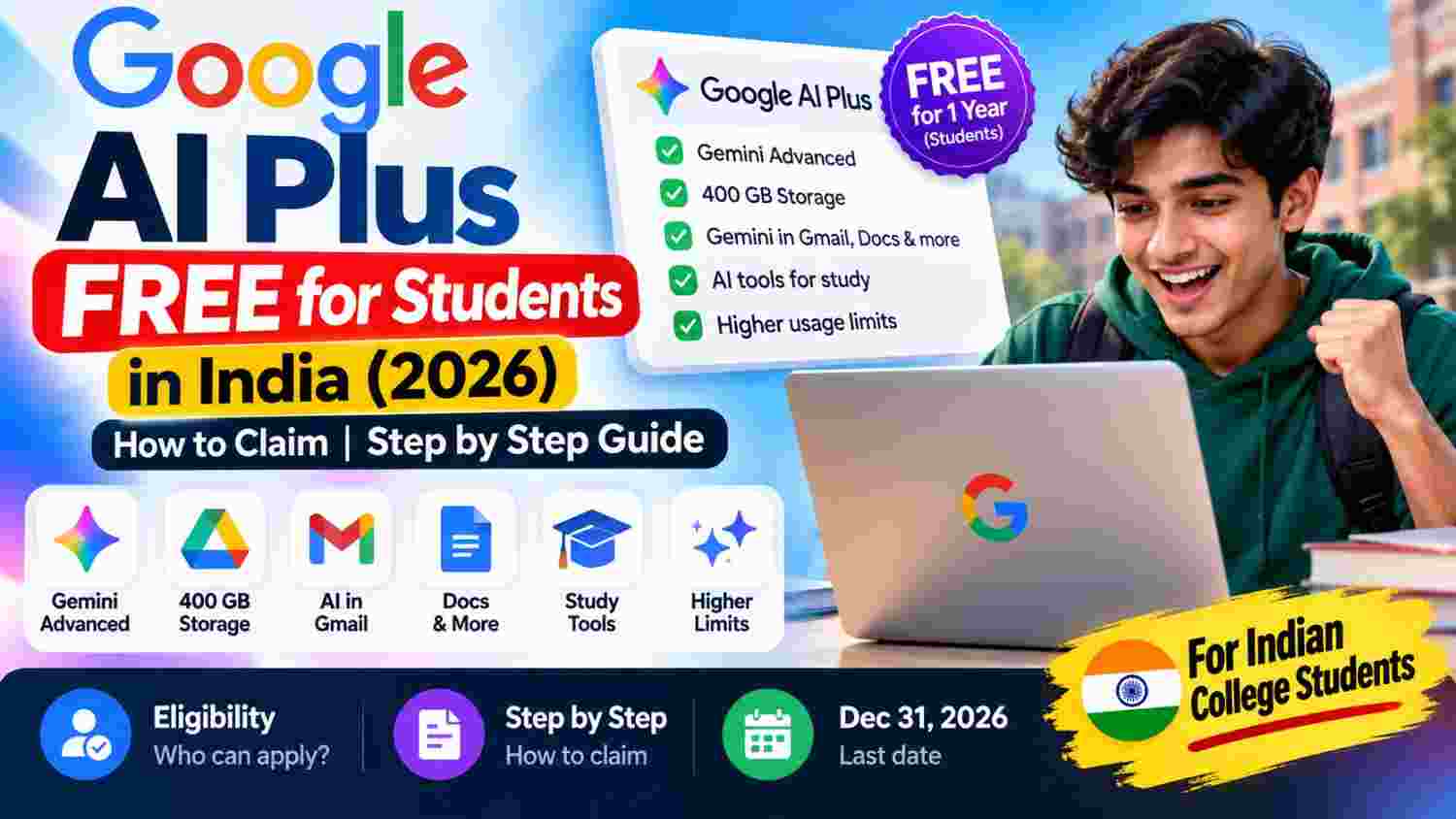
Google is offering eligible university students in India one year of Google AI Plus at no cost. The student plan includes higher Gemini usage limits, 400 GB of cloud storage, and access to additional AI study and creation features. However, this is a limited student offer—not a free subscription for everyone.
In this guide, you’ll learn who can qualify, how to claim the offer, what is included, and what to check before signing up. We’ve based the details on Google’s official student offer and terms. Because promotions can change, confirm the final conditions on Google’s claim page before you continue.
Offer deadline: Google says the student offer must be redeemed by December 31, 2026. Eligible users should check the official page for the latest terms.
Table of Contents
- What Is Google AI Plus Free for Students?
- Who Is Eligible in India?
- What Is Included in the Free Plan?
- How to Claim Google AI Plus Free for One Year
- Is a Payment Method Required?
- What Happens After the Free Year?
- What If Student Verification Does Not Work?
- Deadline and Important Terms
- Frequently Asked Questions
1. What Is Google AI Plus Free for Students?
Google AI Plus is a paid subscription that provides more access to Google’s AI tools and additional benefits compared with the standard free Gemini experience. Under the current student promotion, eligible university students outside the United States—including eligible students in India—can receive Google AI Plus for 12 months at no subscription charge during the offer period.
The offer is intended to help students with studying, research, writing, and creative projects. It is not an unconditional giveaway: Google requires student verification, a personal Google Account, and a qualifying payment method at signup. Eligibility and exclusions apply.
Official claim page: Google Gemini student offer in India.
2. Who Is Eligible for the Google AI Plus Student Offer in India?
Google’s published terms set out several conditions. Before starting, check that you meet the requirements below.
- Age: You must be at least 18 years old.
- Student status: You must be enrolled at an eligible higher-education institution in a supported country or region.
- Verification: Google requires successful student-status verification through SheerID, its third-party verification provider for this offer.
- Google Account: You need a personal Google Account.
- Payment method: A qualifying payment method must be added at signup, even though the eligible offer provides the subscription at no cost for the promoted period.
Some account or subscription situations may make a person ineligible. For example, Google’s terms list certain third-party Google One subscriptions, supervised accounts, enterprise purchases, and family-group membership among the exclusions. Read the current terms before assuming you qualify. Google makes the final eligibility decision.
3. What Is Included in the Free Google AI Plus Plan?
Google’s student offer page lists these benefits for the 12-month period, subject to the plan’s terms and feature availability:
- Higher Gemini usage limits: The student plan includes 2× higher usage limits than the standard free experience for the applicable features.
- 400 GB of cloud storage: Storage is shared across supported Google services, including Google Drive, Gmail, and Google Photos.
- Gemini Omni access: Eligible students receive access to Google’s listed AI creation features, subject to availability and limits.
- Study tools: Google promotes study notebooks, interactive visualisations, and Gemini Live features to help students work with their own course material.
- Additional AI features: Access and limits depend on the current offer, account, and supported region.
Features and usage limits can change during the year. Check the benefits shown on the official offer page and in your account after activation rather than assuming every premium feature is unlimited.
4. How to Claim Google AI Plus Free for One Year
Use Google’s official student offer page and follow the signup instructions shown for your account. The screens may change, but the general process is as follows.
Step 1: Open the official student offer
Visit gemini.google/in/students. Check that the page describes the one-year student plan at no cost. Avoid third-party websites that ask for your Google password or charge a fee to activate the offer.
Step 2: Sign in with your personal Google Account
Sign in to the Google Account you want to use with Gemini and Google storage. The official terms require a personal Google Account, so do not assume a college-managed or supervised account will qualify.
Step 3: Select the student offer
Choose the option to claim the student plan at no cost. Read the offer details displayed on the page and continue to the student verification step.
Step 4: Verify your student status
Complete the verification process provided through SheerID. Follow its instructions and submit only the information or documents requested through the official verification flow. Approval is not guaranteed; it depends on the institution and information accepted by the verification process.
Step 5: Review the payment and renewal details
Google requires a qualifying payment method at signup. Before confirming, carefully check that the offer price shown for the 12-month period is ₹0, review the date the offer ends, and note the monthly renewal price shown at checkout. Do not continue if the offer or price displayed does not match what you expected.
Step 6: Confirm activation
Complete the signup only after reviewing the terms. Then open your Google AI or Google One membership settings to confirm the plan name, benefits, and renewal date. Save the confirmation email or take a screenshot of the membership details for your records.
Claim here: Claim the official Google AI Plus student offer.
5. Is a Payment Method Required?
Yes. Google’s current offer terms say a qualifying payment method is required at signup. That does not mean the subscription should charge the standard monthly price immediately if you have successfully activated the eligible free offer. Review the amount due today and the renewal terms shown on your own checkout screen before confirming.
Never share your card details, OTP, Google password, or payment credentials with someone who claims they can activate the offer for you. Complete the process only on Google’s official pages.
6. What Happens After the Free Year?
The student offer is free for the promoted 12-month period, not permanently free. Google’s India student page says Google AI Plus will automatically renew at ₹399 per month after the free period unless you cancel earlier. Check the price and renewal date displayed in your own membership settings, because terms may change.
If you do not want to pay after the offer ends, set a reminder and cancel before the renewal date. You can manage or cancel the membership through Google One or the membership settings linked from your Google Account. Check the cancellation confirmation and keep it for your records.
If you use more than the free Google storage allowance after the paid membership ends, review your storage before cancelling. Google services may restrict new uploads if your account exceeds its available storage limit.
7. What If Student Verification Does Not Work?
If you cannot claim the offer, check these points before trying again:
- Confirm that you are signed in to the correct personal Google Account.
- Check that you meet the minimum age and higher-education eligibility requirements.
- Follow the exact verification instructions shown by SheerID.
- Check whether your current Google One subscription or account type is excluded by the offer terms.
- Make sure the offer is still available and has not passed its redemption deadline.
- If verification remains unsuccessful, use the support link on Google’s official offer page rather than paying an unofficial service.
8. Google AI Plus Student Offer: Deadline and Important Terms
Google states that this offer must be redeemed by December 31, 2026. The free period lasts 12 months from redemption for eligible users. Student verification and other eligibility conditions apply, and a qualifying payment method is required at signup.
The plan is not automatically free for every Google user, and the offer should not be treated as a permanent subscription. Before signing up, read the current terms at Google’s official student offer terms and confirm the price and renewal date displayed at checkout.
9. Frequently Asked Questions
Is Google AI Plus free for students in India?
Eligible university students aged 18 or older can claim one year of Google AI Plus at no cost, subject to student verification and Google’s offer terms.
What is the last date to claim Google AI Plus for free?
Google currently lists December 31, 2026 as the redemption deadline. Check the official page in case the terms change.
Do I need a college email address?
Google’s current terms require successful student verification through SheerID. Follow the verification method and evidence requested during the official process; do not assume that an email address alone guarantees approval.
Will Google charge ₹399 after the free year?
Google’s India student page states that the plan automatically renews at ₹399 per month after the free period unless cancelled. Confirm the renewal price and date shown for your membership and cancel beforehand if you do not want to continue.
Can all Gemini users get this free year?
No. This is a student offer with eligibility and account restrictions. Standard Gemini access is separate, and the paid student plan is not automatically available to every user.
Is it safe to claim the offer?
Use Google’s official student page and verification flow. Read the payment and renewal terms carefully, and do not give your login or payment details to third parties promising guaranteed activation.
Final Takeaway
The Google AI Plus student offer can provide eligible university students in India with a year of extra Gemini access and 400 GB of storage at no subscription charge during the offer period. The key steps are to open Google’s official student page, verify your student status, review the checkout terms, and confirm the membership after activation.
Before signing up, remember two things: the current redemption deadline is December 31, 2026, and the plan is set to renew at ₹399 per month after the free year unless cancelled. Always use the official links and check the latest terms before you proceed.
Official sources: Google Gemini student offer · Google student offer terms · Google India announcement.
Related Articles