Table of Contents
Top 5 SEO Tips For Blogger and WordPress You Must Know This For a Better Practices.

Here is Top 5 SEO Best Practice to Rank Your Blog On Top Of Results.
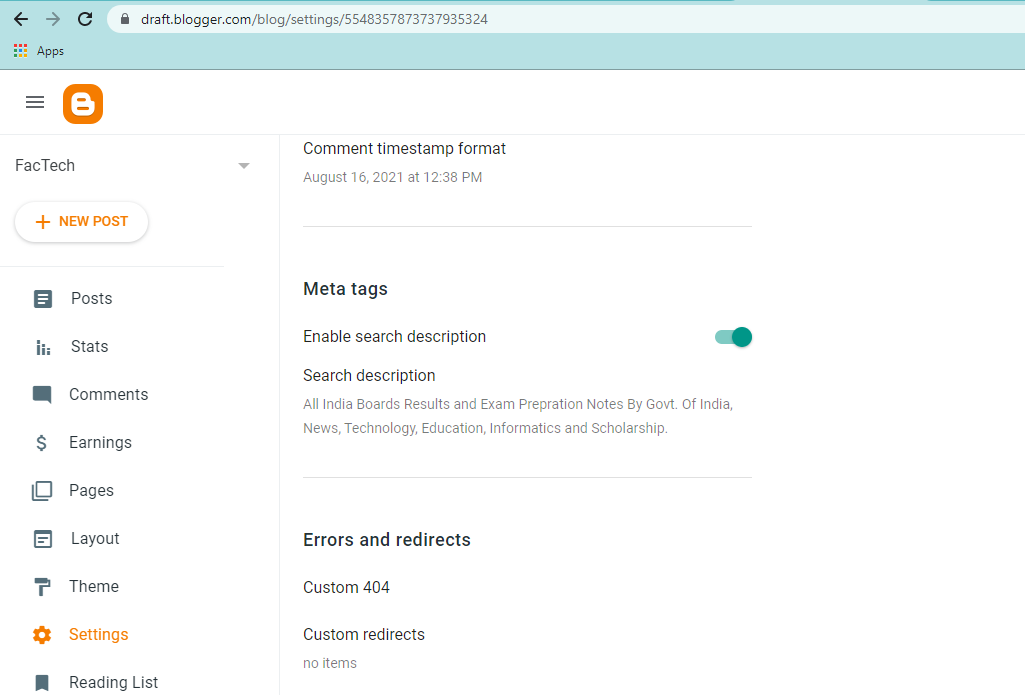
1. Go to the Blogger.com Settings and Enable the Meta Tags .
SEO – Enter a meta description about your blog or website that easily explain your blog to understand the users what they get on your site, It’s best to keep meta descriptions long enough that they’re sufficiently descriptive, so we recommend descriptions between 50–160 characters.
A lot has changed in the world of search engine optimization – and there’s a lot of SEO tips out there.
However, certain fundamental principles remain unchanged.
For example, targeting keywords with the sole intent of improving organic rankings no longer works with search engines but choosing the right keywords is still an important piece to the puzzle.
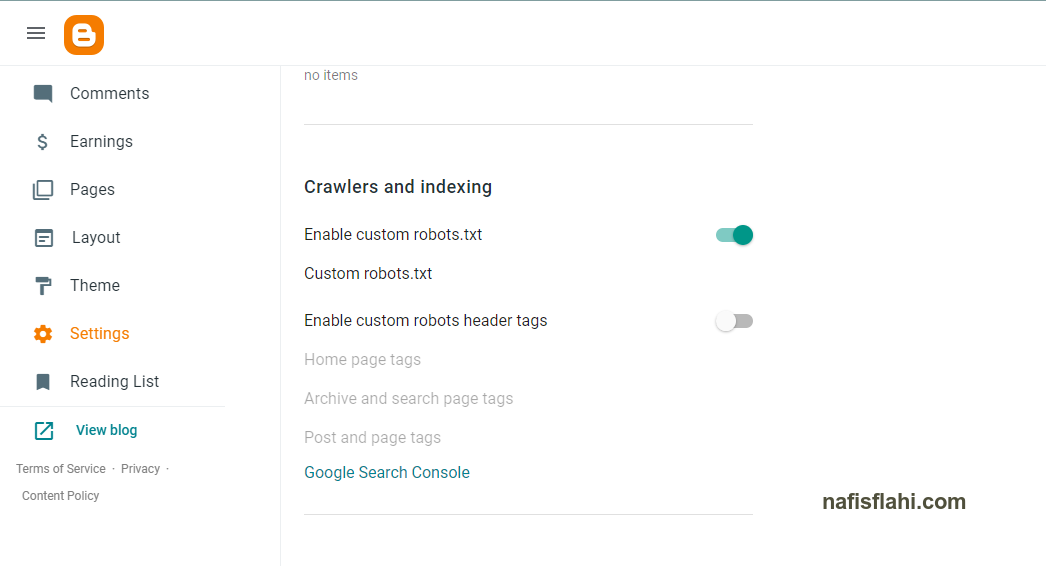
2. Enable the Robot.txt and text a file.
Here’s a question “What is Robot.txt” answer is A robots. txt file tells search engine crawlers which URLs the crawler can access on your site. This is used mainly to avoid overloading your site with requests; it is not a mechanism for keeping a web page out of Google.
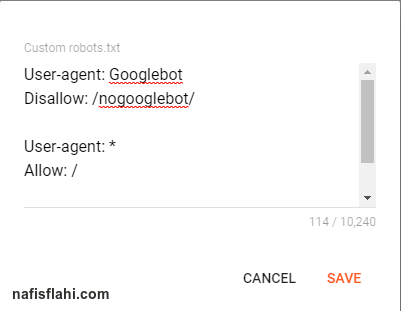
- Create a Custom Robot.txt File For a better experiance.
3. Creating Sitemaps.
The Sitemaps protocol allows a webmaster to inform search engines about URLs on a website that are available for crawling.
How to Create Sitemap?
- Go to google.com and search for Sitemap generator.
- Choose a sitemap and Enter your Website URL.
- Then download that sitemap.xml file.
- You have nothing to do next to it.
- Blogger will automatically catch your all sitemaps.
- Put it on your robot.txt file as your website “https://www.example.com/sitemap.xml”.
4. Enable Robot Header Tag.
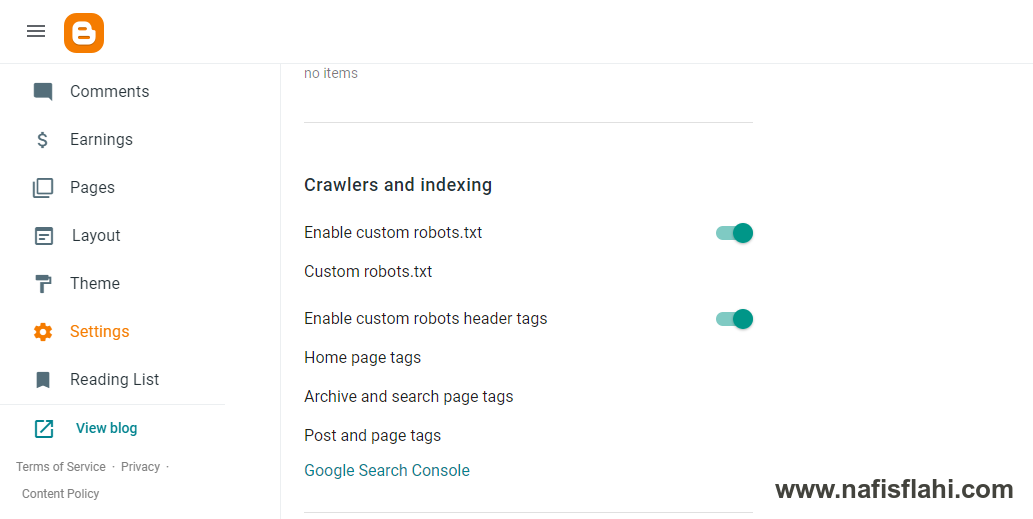
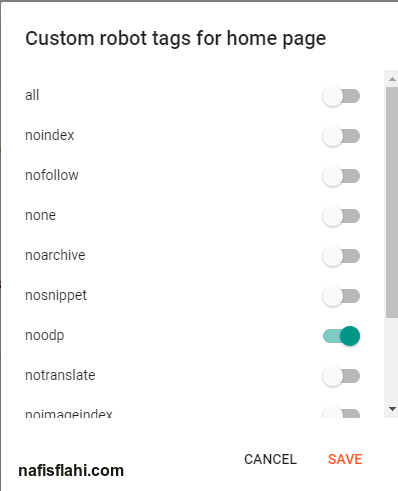
- Set all page tags to “noodp”.
4. Describe About Your Post on Search Description : SEO
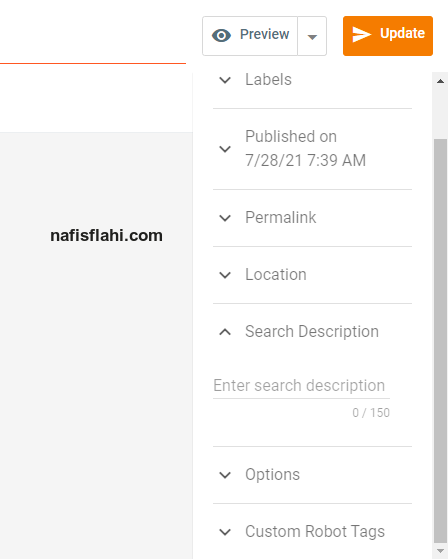
This description will be show on Google Search, Under the title tag.
“FOR ANY TYPE OF HELP – CONTACT WITH US ON SOCIAL NETWOR “