
Table of Contents
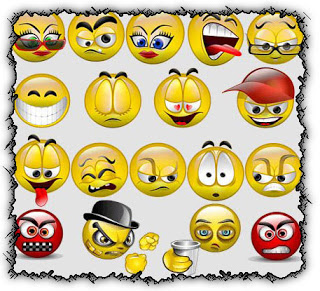
In this I’m gonna to describe how to add yahoo smiley face
into your blogger blog, i hop most reader don’t like comment
on blog especially when they found your blog so boring
but after adding this code you can get more comment into your blog
because reader like yahoo smiley face
Add Yahoo Smiley Face To Your Blog
- Log in your account
- Click on the arrow in your blog

- Now Click on the template

- Now Click on the edit html

- Now Find the ]]></b:skin> to find it press CTR F
and past the below code above ]]></b:skin>
{
height: auto !important;
vertical-align: middle !important;
width: auto !important;
border:0px !important;
}
- Now Find </body> and past the below code above </body>
<script src=’https://googledrive.com/host/0B-koCsA6FhQKUHFjeWNJbkU3QjA’ type=’text/javascript’/>
- Now Find </b:includable> and past the below code above </b:includable>
<b:if cond=’data:blog.pageType == “item”‘>
<div class=’nafisflahi’ id=’ysmile’ style=’
background: -moz-linear-gradient(top, #e4f5fc 0%, #bfe8f9 50%, #9fd8ef 51%, #2ab0ed 100%);background: -webkit-gradient(linear, left top, left bottom, color-stop(0%,#e4f5fc), color-stop(50%,#bfe8f9), color-stop(51%,#9fd8ef), color-stop(100%,#2ab0ed));background: -webkit-linear-gradient(top, #e4f5fc 0%,#bfe8f9 50%,#9fd8ef 51%,#2ab0ed 100%);background: -o-linear-gradient(top, #e4f5fc 0%,#bfe8f9 50%,#9fd8ef 51%,#2ab0ed 100%);background: -ms-linear-gradient(top, #e4f5fc 0%,#bfe8f9 50%,#9fd8ef 51%,#2ab0ed 100%);background: linear-gradient(top, #e4f5fc 0%,#bfe8f9 50%,#9fd8ef 51%,#2ab0ed 100%);border-radius: 3px;width:100%; padding:10px; height:65px;’>
<img alt=” class=’bhacksmly’ src=’http://l.yimg.com/us.yimg.com/i/mesg/emoticons7/1.gif’/> :)
<img alt=” class=’bhacksmly’ src=’http://l.yimg.com/us.yimg.com/i/mesg/emoticons7/2.gif’/> :(
<img alt=” class=’bhacksmly’ src=’http://l.yimg.com/us.yimg.com/i/mesg/emoticons7/3.gif’/> ;)
<img alt=” class=’bhacksmly’ src=’http://l.yimg.com/us.yimg.com/i/mesg/emoticons7/4.gif’/> :D
<img alt=” class=’bhacksmly’ src=’http://l.yimg.com/us.yimg.com/i/mesg/emoticons7/7.gif’/> :-/
<img alt=” class=’bhacksmly’ src=’http://l.yimg.com/us.yimg.com/i/mesg/emoticons7/8.gif’/> :x
<img alt=” class=’bhacksmly’ src=’http://l.yimg.com/us.yimg.com/i/mesg/emoticons7/10.gif’/> :P
<img alt=” class=’bhacksmly’ src=’http://l.yimg.com/us.yimg.com/i/mesg/emoticons7/11.gif’/> :-*
<img alt=” class=’bhacksmly’ src=’http://l.yimg.com/us.yimg.com/i/mesg/emoticons7/12.gif’/> =((
<img alt=” class=’bhacksmly’ src=’http://l.yimg.com/us.yimg.com/i/mesg/emoticons7/13.gif’/> :-O
<img alt=” class=’bhacksmly’ src=’http://l.yimg.com/us.yimg.com/i/mesg/emoticons7/14.gif’/> X(
<img alt=” class=’bhacksmly’ src=’http://l.yimg.com/us.yimg.com/i/mesg/emoticons7/15.gif’/> :7
<img alt=” class=’bhacksmly’ src=’http://l.yimg.com/us.yimg.com/i/mesg/emoticons7/16.gif’/> B-)
<img alt=” class=’bhacksmly’ src=’http://l.yimg.com/us.yimg.com/i/mesg/emoticons7/18.gif’/> #:-S
<img alt=” class=’bhacksmly’ src=’http://l.yimg.com/us.yimg.com/i/mesg/emoticons7/20.gif’/> :((
<img alt=” class=’bhacksmly’ src=’http://l.yimg.com/us.yimg.com/i/mesg/emoticons7/21.gif’/> :))
<img alt=” class=’bhacksmly’ src=’http://l.yimg.com/us.yimg.com/i/mesg/emoticons7/24.gif’/> =))
<img alt=” class=’bhacksmly’ src=’http://l.yimg.com/us.yimg.com/i/mesg/emoticons7/26.gif’/> :-B
<img alt=” class=’bhacksmly’ src=’http://l.yimg.com/us.yimg.com/i/mesg/emoticons7/101.gif’/> :-c
<img alt=” class=’bhacksmly’ src=’http://l.yimg.com/us.yimg.com/i/mesg/emoticons7/100.gif’/> :)]
<img alt=” class=’bhacksmly’ src=’http://l.yimg.com/us.yimg.com/i/mesg/emoticons7/102.gif’/> ~X(
<img alt=” class=’bhacksmly’ src=’http://l.yimg.com/us.yimg.com/i/mesg/emoticons7/103.gif’/> :-h
<img alt=” class=’bhacksmly’ src=’http://l.yimg.com/us.yimg.com/i/mesg/emoticons7/28.gif’/> I-)
<img alt=” class=’bhacksmly’ src=’http://l.yimg.com/us.yimg.com/i/mesg/emoticons7/41.gif’/> =D7
<img alt=” class=’bhacksmly’ src=’http://l.yimg.com/us.yimg.com/i/mesg/emoticons7/43.gif’/> @-)
<img alt=” class=’bhacksmly’ src=’http://l.yimg.com/us.yimg.com/i/mesg/emoticons7/45.gif’/> :-w
<img alt=” class=’bhacksmly’ src=’http://l.yimg.com/us.yimg.com/i/mesg/emoticons7/47.gif’/> 7:P
<img alt=” class=’bhacksmly’ src=’http://l.yimg.com/us.yimg.com/i/mesg/emoticons7/48.gif’/> 2):)
<img alt=” class=’bhacksmly’ src=’http://l.yimg.com/us.yimg.com/i/mesg/emoticons7/110.gif’/> :!!
<img alt=” class=’bhacksmly’ src=’http://l.yimg.com/us.yimg.com/i/mesg/emoticons7/111.gif’/> m/
<img alt=” class=’bhacksmly’ src=’http://l.yimg.com/us.yimg.com/i/mesg/emoticons7/112.gif’/> :-q
<img alt=” class=’bhacksmly’ src=’http://l.yimg.com/us.yimg.com/i/mesg/emoticons7/113.gif’/> :-bd
<img alt=” class=’bhacksmly’ src=’http://l.yimg.com/us.yimg.com/i/mesg/emoticons7/114.gif’/> ^#(^
</div><a href=”https://www.nafisflahi.com”></a></b:if>
Now Save the Template,you can easily use yahoo smiley face in your your comment