Table of Contents
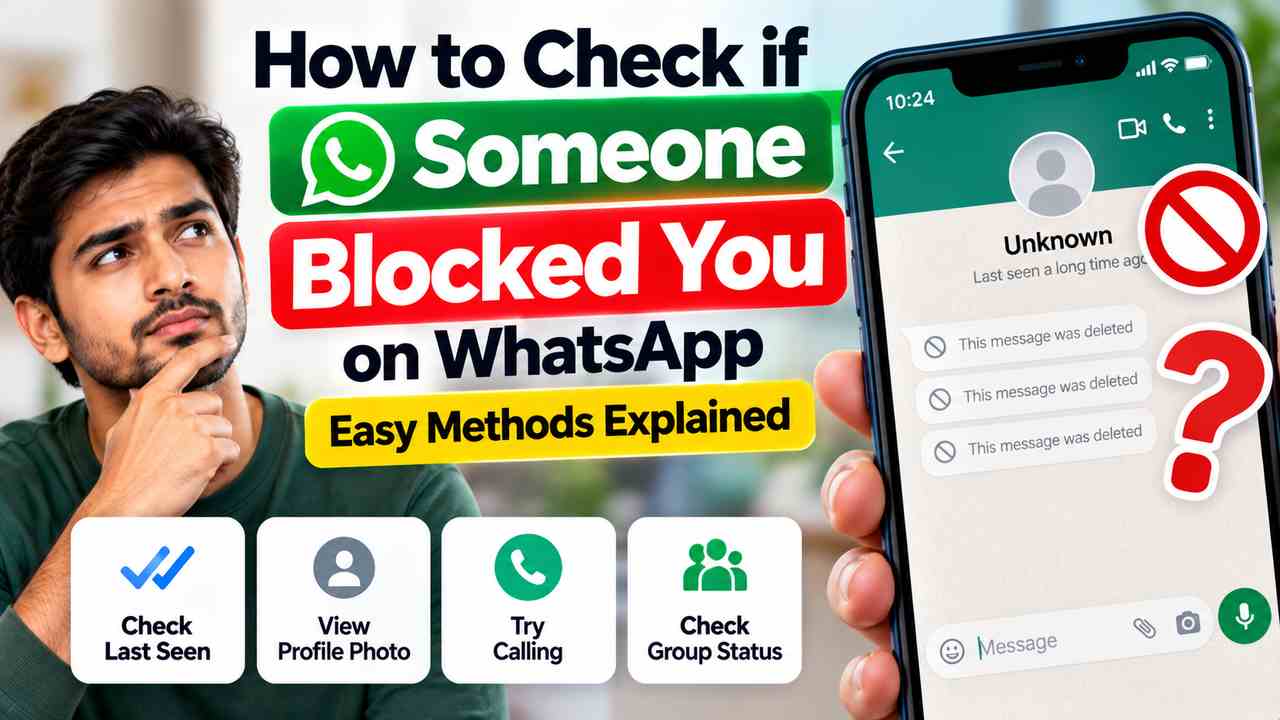
Wondering whether someone has blocked you on WhatsApp? A few changes may give you a clue, including messages that remain on one grey tick, missing profile updates, and WhatsApp calls that do not connect. However, WhatsApp does not tell you directly when someone blocks you, and no single sign proves it. Privacy settings, a phone that is offline, or an internet problem can look similar.
This guide explains the signs in plain language, what each one can and cannot tell you, and how to avoid common mistakes when checking.
Quick answer: How can you tell if someone blocked you?
Look for several changes together rather than relying on just one. You may notice that your messages stay on one grey tick, you cannot see their last seen or online information, their profile photo updates are no longer visible, and WhatsApp calls do not connect. These signs may suggest a block, but they can also have other explanations.
Signs someone may have blocked you on WhatsApp
1. Your messages stay on one grey tick
When you send a WhatsApp message, one grey tick means it was sent from your device to WhatsApp’s service but has not been delivered to the recipient’s device. If messages to one person remain on a single tick for a long time, blocking is one possible explanation.
But one tick does not confirm a block. The person’s phone may be switched off, disconnected from the internet, out of service, or no longer using that account. Check whether the situation continues over time; do not assume that a single undelivered message proves anything.
2. You cannot see their last seen or online status
If you used to see a contact’s “last seen” or “online” information and it is no longer visible, that may be another clue. However, WhatsApp lets people control who can see these details. The person may have changed their privacy settings, you may not meet the conditions for seeing the information, or they may simply not be online.
Missing last seen or online information on its own is not proof that you have been blocked.
3. Their profile photo or photo updates are no longer visible
You may stop seeing a contact’s profile photo or notice that their photo no longer updates for you. This can happen when someone blocks you, but there are other possibilities: they may have removed the photo, changed who can see it, or changed accounts. Your app may also take time to reflect changes.
A missing profile photo is only a clue. It cannot tell you by itself whether a person has blocked you.
4. Your WhatsApp calls do not connect
If WhatsApp voice or video calls to the contact repeatedly fail to connect, blocking is one possible reason. A weak connection, a phone that is offline, or another technical issue can also prevent a call from connecting.
Do not treat one failed call as confirmation. Repeatedly calling someone to test whether they blocked you is also unlikely to provide a definite answer.
5. You no longer see their Status updates
If a contact’s WhatsApp Status updates disappear from your view, it may be related to blocking, but it may also mean they have not posted a Status or have changed their Status audience settings. Status visibility is controlled by privacy settings, so this sign is not conclusive.
6. You cannot add the person to a group
Being unable to add someone to a WhatsApp group is not a reliable block test. WhatsApp has group privacy controls that can limit who is allowed to add a person directly. Depending on their settings, you may need to send a private group invitation instead.
What each sign means—and what it does not mean
| What you notice | Possible explanation | Does it prove a block? |
|---|---|---|
| Messages remain on one grey tick | The recipient’s device has not received them; they may be offline or may have blocked you. | No |
| Last seen or online is hidden | Privacy settings, availability, or blocking. | No |
| Profile photo is missing or no longer updates | Photo or privacy changes, account changes, or blocking. | No |
| WhatsApp calls do not connect | Connectivity problems or blocking, among other possibilities. | No |
| Status updates are not visible | No recent Status, audience settings, or blocking. | No |
| You cannot add the person to a group | Group privacy restrictions or other account settings. | No |
How to check the signs without jumping to conclusions
- Look at the message ticks. Check whether new messages remain on one grey tick over time, rather than judging from one message.
- Consider the other visible changes. Notice whether last seen, online information, profile updates and calls have changed too.
- Allow for ordinary technical problems. The other person’s phone may be off, out of coverage, or disconnected from the internet.
- Remember privacy settings. WhatsApp allows people to limit visibility of profile information and Status updates.
- Accept that you may not be able to know for certain. WhatsApp keeps blocking indicators deliberately ambiguous to protect users’ privacy.
Can you confirm for sure that someone blocked you?
No. WhatsApp does not provide a notification or a public list showing who has blocked you. Several signs appearing together may make blocking a possibility, but they still do not provide definitive proof. Avoid websites or apps that promise to reveal who blocked you; they cannot legitimately access a private block list and may put your account or personal information at risk.
You do not need to contact the person through another number, create another account, or ask others to investigate. If someone has chosen not to communicate, respect that boundary.
How to block someone on WhatsApp
If you want to stop a contact from messaging or calling you, you can block them from their chat. The exact menu wording may vary slightly by phone and app version.
- Open WhatsApp and open the chat with the contact.
- Tap the person’s name or number at the top to open their contact information.
- Scroll down and choose Block. Confirm if WhatsApp asks you to.
You can also report a contact if you believe they are sending spam, scams, or abusive messages. Use WhatsApp’s in-app reporting options where appropriate.
Frequently asked questions
Will a message sent while I am blocked be delivered if the person unblocks me?
Messages you sent while the other person had blocked you are not delivered later simply because they unblock you. You would need to send a new message, and whether it is delivered depends on the situation at that time.
Does one grey tick mean I am blocked?
No. One grey tick means the message has not been delivered to the recipient’s device. Their phone may be offline or having connection problems, so one tick alone does not prove blocking.
Can I see a person’s profile photo if they block me?
You may no longer see their profile photo or its updates, but profile visibility can also change because of privacy settings or because the person removed the photo. It is not a definitive test.
Can I call someone who has blocked me on WhatsApp?
You may not be able to get a WhatsApp call through to someone who has blocked you. However, failed calls can have other causes, so they cannot confirm a block on their own.
Does WhatsApp notify someone when I block them?
WhatsApp does not send the person a direct notification saying that you blocked them. They may notice changes in what they can see or whether messages are delivered, but those signs are not definitive proof.
Are apps that claim to show who blocked me trustworthy?
Be cautious. WhatsApp does not provide a legitimate feature that reveals a list of people who blocked you. Avoid giving third-party apps access to your WhatsApp account, verification codes, or private messages for this purpose.
Final advice
The most useful clues are a combination of undelivered messages, missing profile information, unavailable Status updates and calls that do not connect. Each can have another explanation, so there is no guaranteed way to identify a block. Check the facts calmly, protect your privacy, and respect the other person’s choice about communication.
For the latest explanation of blocking and privacy features, consult the official WhatsApp Help Center.
Related Articles